My wife and I both drive electric vehicles (EV) for years now. More than 6 years ago we got our first EV for my company. To be able to charge it at home and be able to declare the charging sessions to my company we got a charger from EVBox including a corresponding subscription which handled the invoicing of the charging sessions to my company. The cloud software from EVBox handled the invoicing of each charging session to my company, and paid out the money to my private bank account since the electricity loading into the car comes from our private home electrical connection to the grid.
This worked fine for a couple of years.
We had a business line charger with a mobile 3G connection. 2 years ago the mobile network providers in the Netherlands decided to phase out 3G. I never received the email from EVBox that our charger needed to be upgraded to function after 2025. Upgrade kits were sold until July 2024, costing about € 400, and by accident I found out about this necessary upgrade months after that.
Then in the fall of 2024 EVBox announced to completely stop with their charger business. From December 1st 2025, our charger would function only as a regular home charger without any registration of charging sessions whatsoever. There are other cloud payment providers that you can switch to to keep the full functionality, but I received an email earlier this year that this was not the case for our charger. It seems our charger did not have the firmware to be able to switch to another provider.
Bummer.
So, basically we needed a new charger. We have used the payment services of EVBox for over 6 years now and we are stuck with an e-waste charger, forced to buy a new charger and everybody is saying 'just switch to another provider'. I know almost everything works now only when connected to the cloud, but in this case I am tired of paying for a subscription that only sends an invoice every month and handles the bank transactions.
Learning about OCPP
So I started to shop for a new car charger that I could manage myself without any cloud service. In the car charging world, there is a standard for exactly this purpose: OCPP, Open Charge Point Protocol. Most chargers you can buy nowadays have this, but it is tricky. There are a lot of car chargers available that support OCPP, but only via the cloud of their manufacturer. If I want to be able to manage my new car charger myself, I need a device that can be setup to use OCPP directly.
So I went shopping and found the Zaptec Go. In the specification it says clearly "OCPP 1.6J cloud-to-cloud or native on-device". Exactly what I needed, the smallest size I could find, and the cheapest one, so I ordered it.
To manage a car charger that can be managed by OCPP, I also needed some back-end software and found that in the community
open source software Steve.
With this software we can manage the car charger, manage which NFC tags are authorized to start a charging session, and it
keeps track of the charging sessions.
Installing the new car charger
So I ordered the Zaptec Go and a week ago I had everything prepared to make the switch.
It took me 2,5 hours to disassemble the EVBox BusinessLine charger, that (big) device is really not made for that. In the end I used a jigsaw to be able to remove the cover of it.
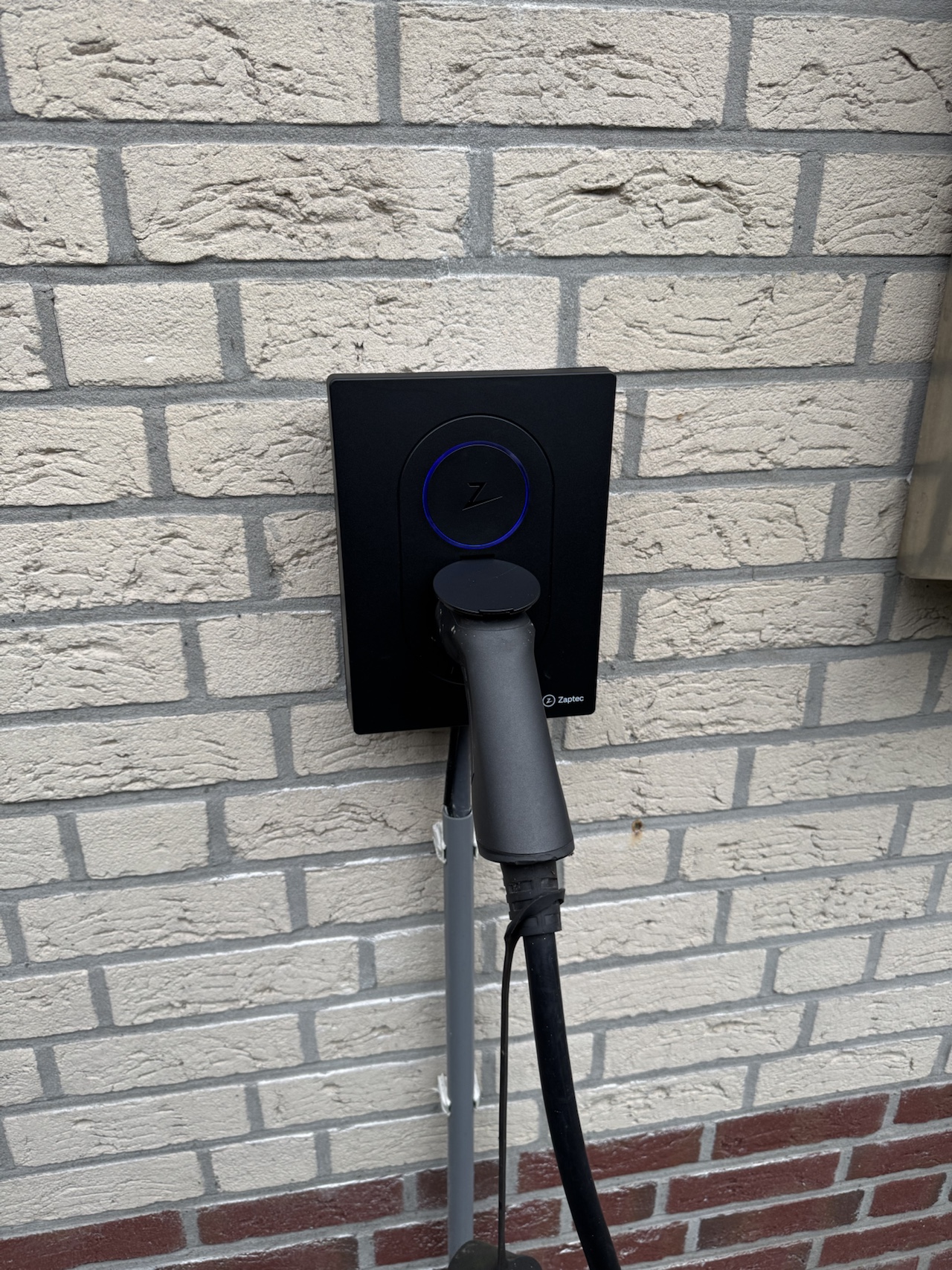
Putting the Zaptec Go on the wall was done in 30 minutes. Of course I had the benefit that the cable to the charger was
already present, so it was just putting 4 screws in the wall and connect the wires.
Configuration of the charger
Nice, now we can start setting up the new charger! I already suspected this would not be a simple task, and I was right. Setting the charger up with a bluetooth connection in their app was simple. After that, the charger was connected to my guest WiFi network which I also use for devices like this that do not belong on our own network. Zaptec even offers a more extensive web portal to manage your charger from there.
Of course, by default the charger connects to the cloud of the manufacturer, so although I could see the charger would work, I could not start a charging session yet because I had no RFID/NFC tag authorized yet. You can start a charging session directly from the mobile app also, but then I had to find out how to export charging sessions from the Zaptec portal, and the main goal was to implement a solution that:
- Stays local and works, even when our internet connection is down
- Keeps local track of our charging sessions, so we can
- Automatically send an invoice each month for the charging sessions.
So I started reading the documentation from Zaptec. It mentioned something about user permissions which I could not find when I was logged into their portal, and basically it describes to enable OCPP as follows:
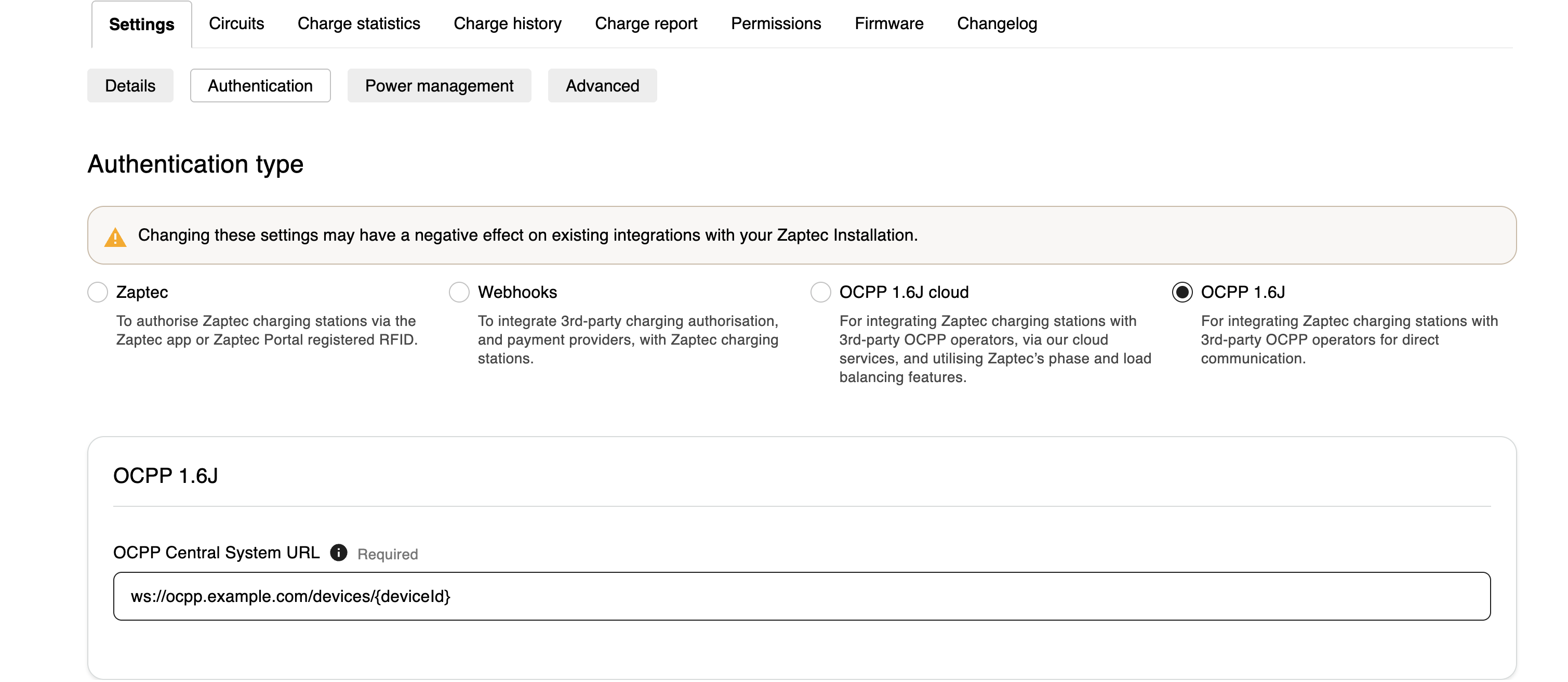
I had the first 3 options, but not the last one, exactly the one I needed. My own install of the Steve software was not publicly accessible from the Internet (obviously for security reasons), so I could not get it to work.
The URL of my Steve installation was https://steve.int.palanthir.nl, notice the int.palanthir.nl domain name,
which is not accessible from the Internet.
By now it was Saturday evening about 11 PM...
I realized I needed support from Zaptec, so I sent a support request to them through their website, not expecting much of it. Especially during the weekend I do not expect support from a manufacturer to be available and respond to me.
After this, I spent some hours reconfiguring my network and opening ports in my firewall to have the Steve software available from the Internet in a somewhat secure way. I got a working setup with their 'OCPP 1.6J Cloud' authentication type and the following URL of my Steve OCPP management software:
wss://steve.palanthir.nl/steve/websocket/CentralSystemService/
Although I now had a working setup, it was still using the cloud, not an option for me. With all the connections working, I could now write a script to retrieve the charging sessions from the Steve software and create an invoice in my invoicing software.
Zaptec support
On Monday afternoon I received an email from Zaptec support that OCPP was not implemented in the Netherlands yet, but they were trying to find out how to help me. It took about 4 days of emailing back and forth until I had the option to configure the direct OCPP variant of their authentication type named "OCPP 1.6J". This profile was needed to get it working.
But it didn't. Like above, I set the OCPP websocket URL to this:
wss://steve.int.palanthir.nl/steve/websocket/CentralSystemService/
I now suspected some DNS problem or whatever, so I started digging in the logs of the Steve software to find out what was going wrong. By default, Steve is configured with the INFO log level, which did not give me any clue. So I reconfigured that to the DEBUG log level, which gives a lot of debug logging. After some digging, I found out the authorization of the car charger to Steve was not working because the URL the car charger now was using to authenticate itself was
wss://steve.int.palanthir.nl/steve/websocket/CentralSystemService//<device serial number>
Notice the 2 slashed in the URL? That was the culprit. When I set the Websocket URL in the Zaptec portal to
wss://steve.int.palanthir.nl/steve/websocket/CentralSystemService
without the trailing slash character, it worked within seconds!
I tested this configuration also by disconnecting the Internet connection at home, and the car charger kept working and authenticating by using the NFC cards I authorized for charging.
Conclusion
I understand that for a manufacturer the most easy way to configure their devices is to have a cloud service available for that. This makes the firmware in the devices smaller, and their cloud software is easier to maintain and up to date. I am very grateful that manufacturers like Zaptec still exist to make their devices work without an Internet connection.
And I am even more grateful that I now have a setup that does not require a payment provider with a subscription to handle 12 invoices a year and pay for it.
The downsides:
- The Steve software does not look as modern as mobile apps or a modern web portal looks like.
- When I need to change settings in the car charger, I need to do it through the Steve software, the mobile app from Zaptec does not show my car charger anymore.
The advantages:
- No subscription needed any more. I have a monthly Python script now that takes care of the invoicing.
- If Zaptec in the future decides not to support my charger any more, it keeps working.
- Even if our home Internet connection goes down, I still can start and stop charging sessions.
- We now have a solution which is extendable for the future, for example when we will have a home battery and do even more smart charging than the Zaptec portal can provide.
Lots of thanks to the support team at Zaptec for giving me access to the correct authentication profile.